
HUTECH Classroom
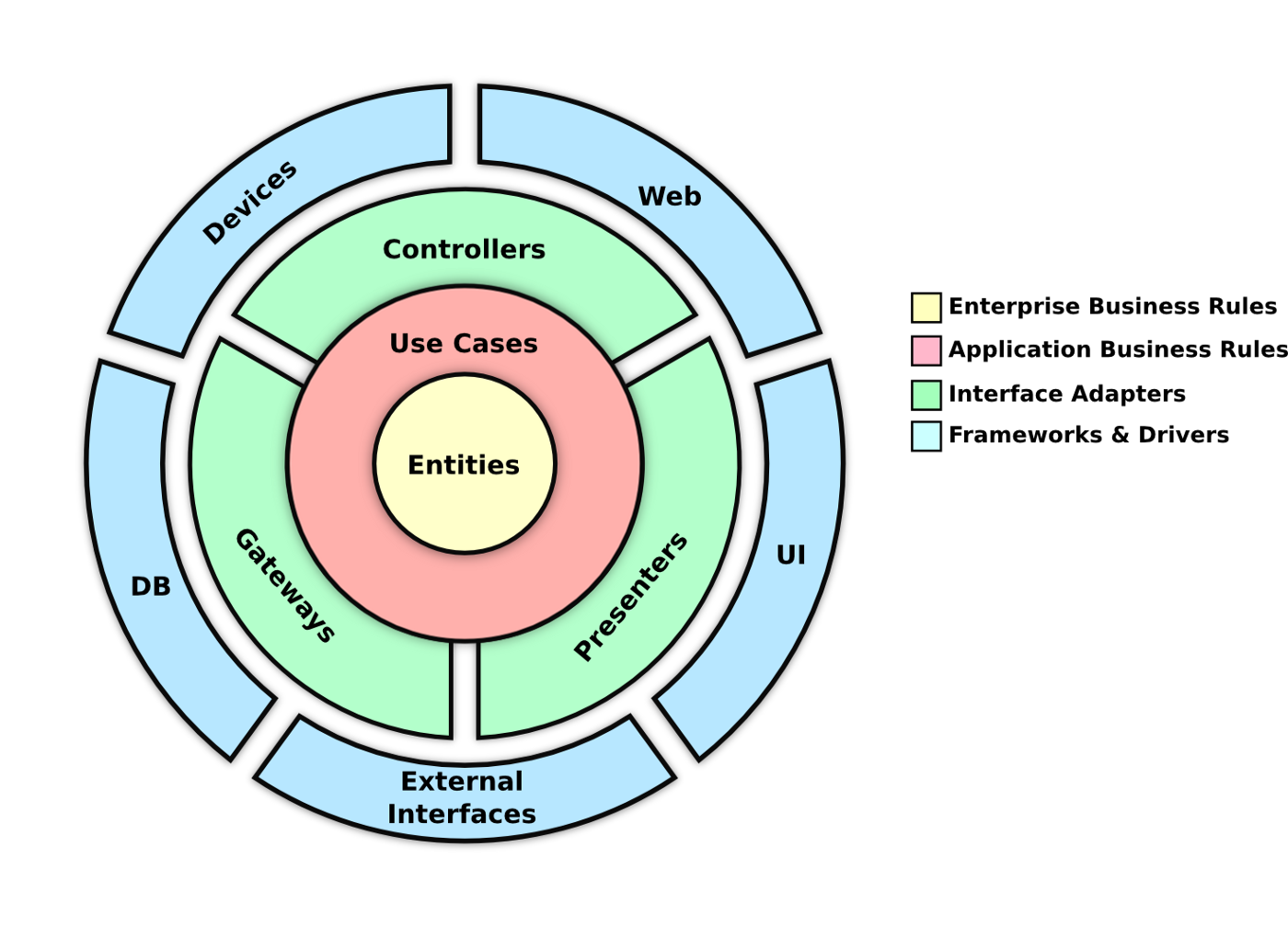
This project is a web API for managing classroom data. It is built using .NET Framework, C#, and follows Clean Architecture, the Mediator pattern, the Repository pattern with a Unit of Work implementation for data access. JWT authentication and authorization have also been implemented to ensure secure access to the API.
Getting Started
To get started with this project, you will need to have Visual Studio installed on your computer. Once you have cloned the repository, you can open the solution file in Visual Studio and run the project.
Prerequisites
Visual Studio/ Visual Studio code .NET Framework
Installing
Clone the repository to your local machine.
Open the solution file in Visual Studio.
Update connection settings in appsettings.json.
Build and run the project or dotnet restore.
Usage
This API allows you to manage student data. You can create, read, update, and delete student records using the endpoints provided.
Secrets
You can also use Environment Variables
🔃 Api
appsettings.json
{
  "Serilog": {
    "MinimumLevel": {
      "Default": "Debug",
      "Override": {
        "Microsoft": "Warning",
        "Microsoft.Hosting.Lifetime": "Information",
        "Microsoft.AspNetCore.Authentication": "Debug",
        "System": "Warning"
      }
    }
  },
  "EmailService": {
    "Gmail": {
      "Host": "smtp.gmail.com",
      "Port": 587,
      "UserName": "[email protected]",
      "Password": "Password"
    }
  },
  "AllowedHosts": "*",
  "Cloudinary": {
    "CloudName": "CloudName",
    "ApiKey": "ApiKey",
    "ApiSecret": "ApiSecret"
  },
  "ConnectionStrings": {
    "DefaultConnection": "Server=Server;Port=5432;User Id=UserId;Password=Password;Database=Database;"
  },
  "TokenKey": "TokenKey",
  "Azure": {
    "ComputerVision": {
      "Key": "Key",
      "Endpoint": "Endpoint"
    }
  }
}
🕸️ Web
appsettings.json
{
  "Serilog": {
    "MinimumLevel": {
      "Default": "Debug",
      "Override": {
        "Microsoft": "Warning",
        "Microsoft.Hosting.Lifetime": "Information",
        "Microsoft.AspNetCore.Authentication": "Debug",
        "System": "Warning"
      }
    }
  },
  "EmailService": {
    "Gmail": {
      "Host": "smtp.gmail.com",
      "Port": 587,
      "UserName": "[email protected]",
      "Password": "Password"
    }
  },
  "AllowedHosts": "*",
  "ConnectionStrings": {
    "DefaultConnection": "Server=Server;Port=5432;User Id=UserId;Password=Password;Database=Database;"
  },
  "TokenKey": "TokenKey"
}
Endpoints
Account
-
➕ POST /api/v1/Account/Register – Registers a new user (For Testing).
-
👤 POST /api/v1/Account/Login – Logs in a user and returns a JWT token.
-
🔍 GET /api/v1/Account/@me – Returns information about the currently logged in user.
-
🔐 PATCH /api/v1/Account/change-password – Changes a user’s password.
-
🔒 POST /api/v1/Account/forgot-password – Initiates the process for resetting a user’s forgotten password.
-
🔑 POST /api/v1/Account/reset-password – Resets a user’s password based on a reset token.
-
🖼️ POST /api/v1/Account/add-avatar – Uploads a user’s avatar.
-
❌ DELETE /api/v1/Account/remove-avatar – Removes a user’s avatar.
Answers
-
🔍 GET /api/v1/Answers – Returns a list of answers.
-
➕ POST /api/v1/Answers – Creates a new answer.
-
❌ DELETE /api/v1/Answers – Deletes multiple answers.
-
🔍 GET /api/v1/Answers/{answerId} – Returns a specific answer by ID.
-
✏️ PUT /api/v1/Answers/{answerId} – Updates a specific answer by ID.
-
❌ DELETE /api/v1/Answers/{answerId} – Deletes a specific answer by ID.
Visit my swagger page for more endpoints
Authentication
This API uses JWT authentication to secure access to the endpoints. You will need to provide a valid token in the Authorization header to access the endpoints.
Authorization
Authorization has also been implemented for certain endpoints. Only users with the appropriate role can access these endpoints. Please refer to the documentation for more information on the required roles.
Authors
Nguyễn Hồng Thái
License
This project is licensed under the GNU General Public License v3.0. See the LICENSE.md file for details.