



RookieShop is a .NET Core web application training project demonstrating Clean Architecture, DDD and modern web development with Aspire and Next.js. The project is part of the Rookie Phase-1 Assignment at NashTech.
- Requirements
- Project Progress Report
- Technical Stack
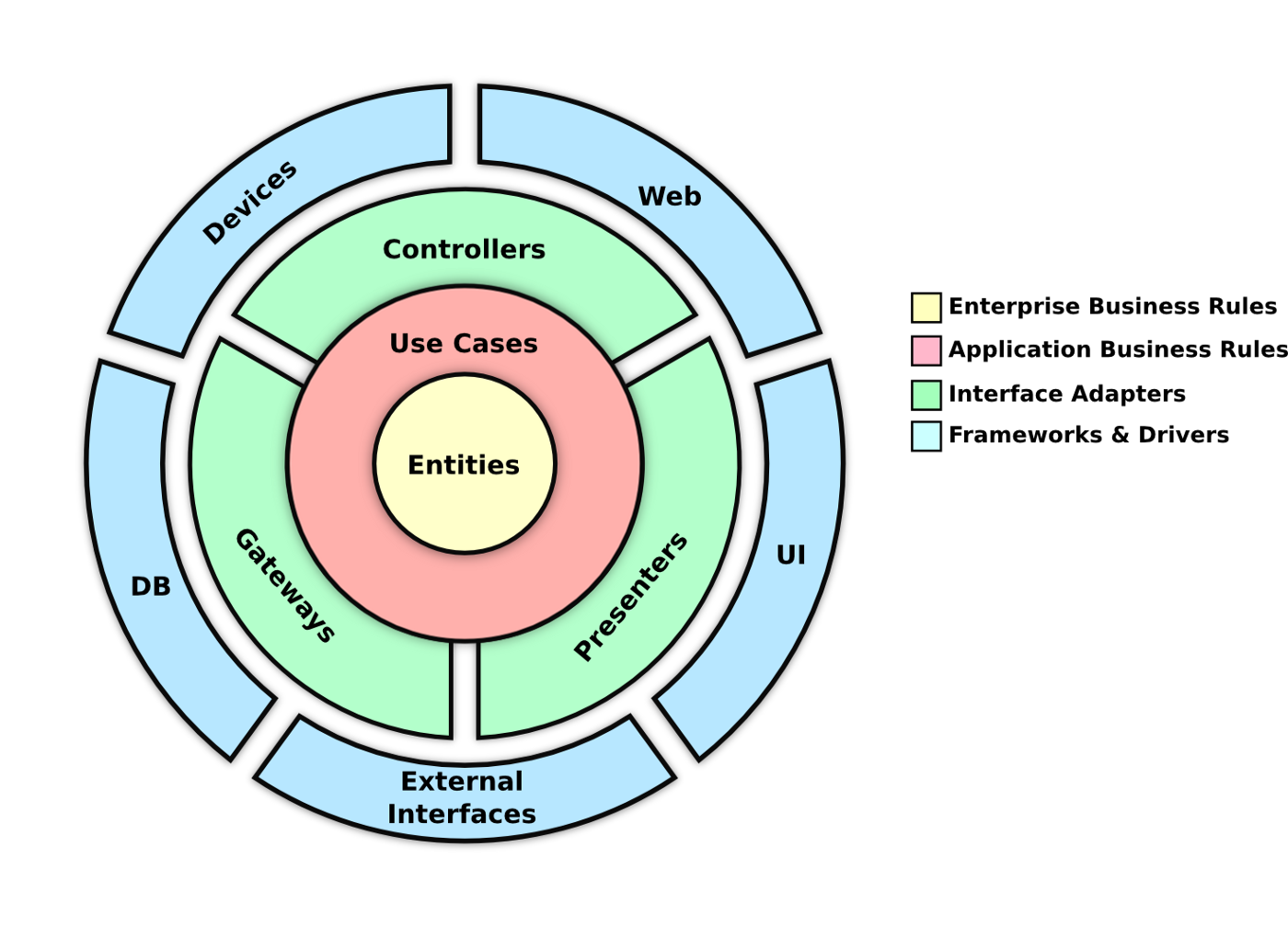
- Software Architecture
- Getting Started
- Testing
- CI/CD
- Deployment
- Observability
- Project References
- License
- Organization
Build an e-commerce web site with minimum functionality below:
For customers:
Home page: category menu, features productsView products by categoryView product detailsProduct rating- Register
- Login/Logout
- Optional (Shopping Cart, Ordering, IdentityServer4)
For admin:
- Login/logout
Manage product categories (Name, Description)Manage products (Name, Category, Description, Price, Images, CreatedDate, UpdatedDate)View customers
Note
The project should apply as many techniques of ASP.NET MVC Core as possible. For example: TagHelpers, Razor Pages, ViewComponents and have Unit Test. The Unit Test do not need to have a high coverage number but should demonstrate the ability to write unit test for common components: Controllers, ViewComponents, Services …
- htmx
- Alphine.js
- ///_hyperscript
- Next.js 14.0
- ASP.NET Core 8.0
- Duende IdentityServer 7.0
- Redis
- Postgres
- Aspire
- Yarp
- OpenTelemetry
- OpenAI
- Semantic Kernel
- NUKE

| No | Name | Usecase | Technology |
|---|---|---|---|
| 1 | back office | An admin-facing website that allows administrators to manage products, categories, and customers | Next.js 14.0 |
| 2 | identity server | An authentication server that provides authentication and authorization services for the application | Duende IdentityServer 7.0 |
| 3 | bff | A backend for frontend that provides data to the admin-facing website | Yarp |
| 4 | store front | A user-facing website that allows customers to view, rate, and purchase products | Razor, htmx, Alphine.js, ///_hyperscript |
| 5 | web api | A REST API that provides data to the user-facing and admin-facing websites | ASP.NET Core 8.0 |
| 6 | cache | A distributed lock manager, cache and cart storage | Redis |
| 7 | database | A relational database that stores the application’s data and email outbox | Postgres, Marten |
| 8 | observability | A telemetry data collector that collects and exports telemetry data to the Aspire Dashboard | OpenTelemetry |
| 9 | ai platform | An AI platform that provides AI services for the application | OpenAI, Tavily |
- Get the latest source code: https://github.com/foxminchan/RookieShop
- Install & start Docker Desktop: https://docs.docker.com/engine/install/
- Install k3d: https://k3d.io/
- Install .NET 8.0 SDK: https://dotnet.microsoft.com/download
- Install Node.js: https://nodejs.org/en/download/
- Install bun: https://bun.sh/
- Install Stripe CLI: https://stripe.com/docs/stripe-cli
- Open AI API Key: https://platform.openai.com/
- Install Visual Studio 2022
- Install the latest .NET 8.0 SDK
- Install Visual Studio Code with C# Dev Kit
Tip
Using JetBrains Rider is also a good choice for developing .NET Core applications in Mac and Linux.
# Setup the tools

npm install --force
dotnet tool restore

# Install the dependencies for the .NET Core projects

cd RookieShop
dotnet restore ./RookieShop.sln
stripe login

stripe listen --forward-to https://localhost:9000/api/stripe
{
  "Parameters": {
    "SqlUser": "",
    "SqlPassword": "",
    "StripeApiKey": "",
    "StripeWebhookSecret": "",
    "EmailSecret": "",
    "GoogleClientId": "",
    "GoogleClientSecret": "",
    "OpenAiKey": ""
  },
  "ConnectionStrings": {
    "openai": "Key="
  }
}
Warning
Remember to ensure that Docker is started
- (Windows only) Run the application from Visual Studio:
- Open the
RookieShop.slnsolution file in Visual Studio - Ensure
RookieShop.AppHostare set as the startup projects - Hit
F5to run the application - Or run the application from your terminal:
dotnet run --project src/RookieShop.AppHost/RookieShop.AppHost.csproj
In the project, i use xUnit for unit testing, Moq for mocking and FluentAssertions for assertion. For functional testing, i use the Aspire xUnit for running the test in the Aspire environment.
I also use the NetArchTest library to enforce the architecture rules in the project. The test project is located in the tests folder.
I follow the Test Pyramid strategy to write the test. To run the test, you can use the following command:
dotnet test RookieShop.sln
Note
For performance testing, i use the K6 tool to simulate the load on the application. To run the performance test, you can use the following:
k6 run ./k6/performance-test.js
I implement the CI/CD pipeline for the project using the NUKE with the GitHub Actions. The pipeline consists of the following steps:

Deploying the application to the production environment by using Aspirate (Aspir8) by running the following command:
cd src/RookieShop.AppHost
dotnet aspirate apply
Warning
Ensure k3d is started and has the cluster context.
The project uses OpenTelemetry to collect the telemetry data from the application. The data is sent to the OpenTelemetry Collector and exported to the Aspire Dashboard. The Aspire Dashboard is a monitoring and observability tool that provides insights into the application’s performance and behavior. It helps developers to identify and troubleshoot issues in the application.


- https://github.com/dotnet/eShop
- https://github.com/aspirant-project/aspirant
- https://github.com/dotnet-architecture/eShopOnWeb
- https://github.com/ardalis/CleanArchitecture
- https://github.com/phongnguyend/Practical.CleanArchitecture
This project is licensed under the MIT License – see the LICENSE file for details.

Github: https://github.com/foxminchan/RookieShop
Description: https://foxminchan.github.io/RookieShop/